Batch variations
Queue one file or a folder and generate the number of versions your campaign needs.
Turn one approved master into an organised batch of technically unique upload files. Change video, audio, composition, text, watermark and metadata in one Windows workflow instead of rebuilding every version by hand.
✓ Windows ✓ Local processing · no cloud upload ✓ Use source material you own or are authorised to process.
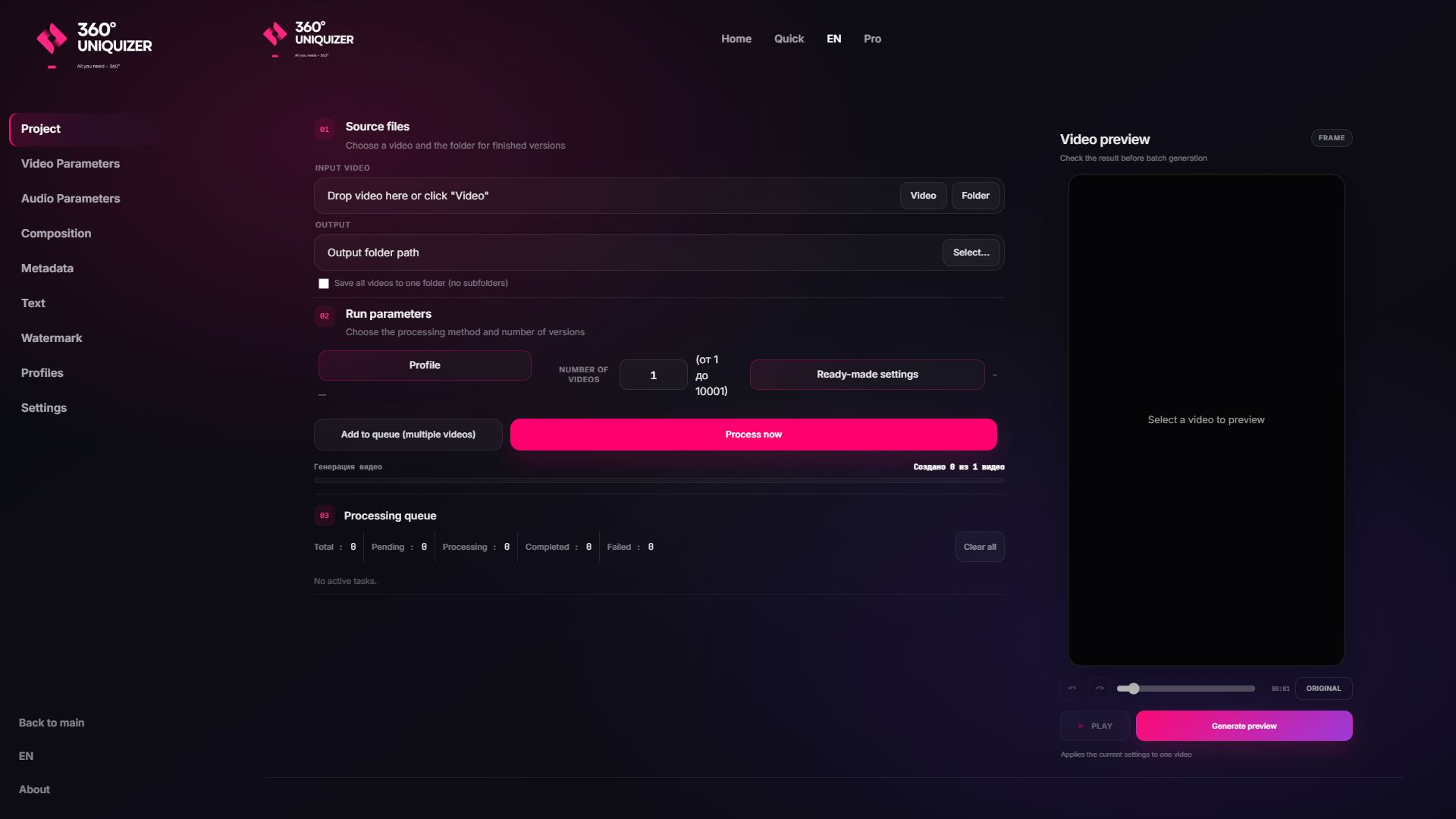
360° Uniquizer is built for the repetitive part that starts after your main edit is ready: producing separate files for creative tests, channels, accounts and platforms while keeping the workflow visible and controllable.
Queue one file or a folder and generate the number of versions your campaign needs.
Use visual and audio effect ranges so each export receives its own combination.
Add generated or folder-based backgrounds, Picture-in-Picture and Split Screen layouts.
Place text and image or video watermarks directly in the processing workflow.
Create a separate file profile and metadata set for every output version.
Inspect the composition and reject unsuitable combinations before processing the full queue.
The setup stays simple even when the output count grows.
Choose a video or an entire folder and set the output location.
Select effect ranges, audio changes, backgrounds, text, watermark and metadata rules.
Check the frame and tune the profile before committing compute time.
Generate separate MP4, MOV, AVI, MKV, WEBM or supported output files locally on Windows.
Use a creative timeline editor for the master video. Use 360° Uniquizer when you need controlled volume and variation.
| 360° Uniquizer | Typical timeline editor | |
|---|---|---|
| Primary job | Batch variations from an approved master | Manual creative editing on a timeline |
| Repeated exports | One profile drives the whole queue | Each version is usually edited and exported separately |
| Audio + metadata | Included in the same batch workflow | Often handled in separate steps |
| Processing | Local Windows processing | Desktop or cloud, depending on the editor |
Each page answers a different commercial search intent, so you can choose the workflow closest to your task.
No. It is a specialised batch editor and variation tool. Create the main story and cut in your preferred editor, then use 360° Uniquizer to produce controlled versions at scale.
Yes. You can add a folder to the queue, choose an output folder and apply the same profile across the task.
The workflow is designed around short-form production for TikTok, Instagram Reels, YouTube Shorts and other platforms that accept the exported formats.
Processing runs locally on your Windows computer. Your source files do not need to be uploaded to a third-party editor.
Start with the free allowance, inspect the output and move to a paid plan only when the workflow proves useful.