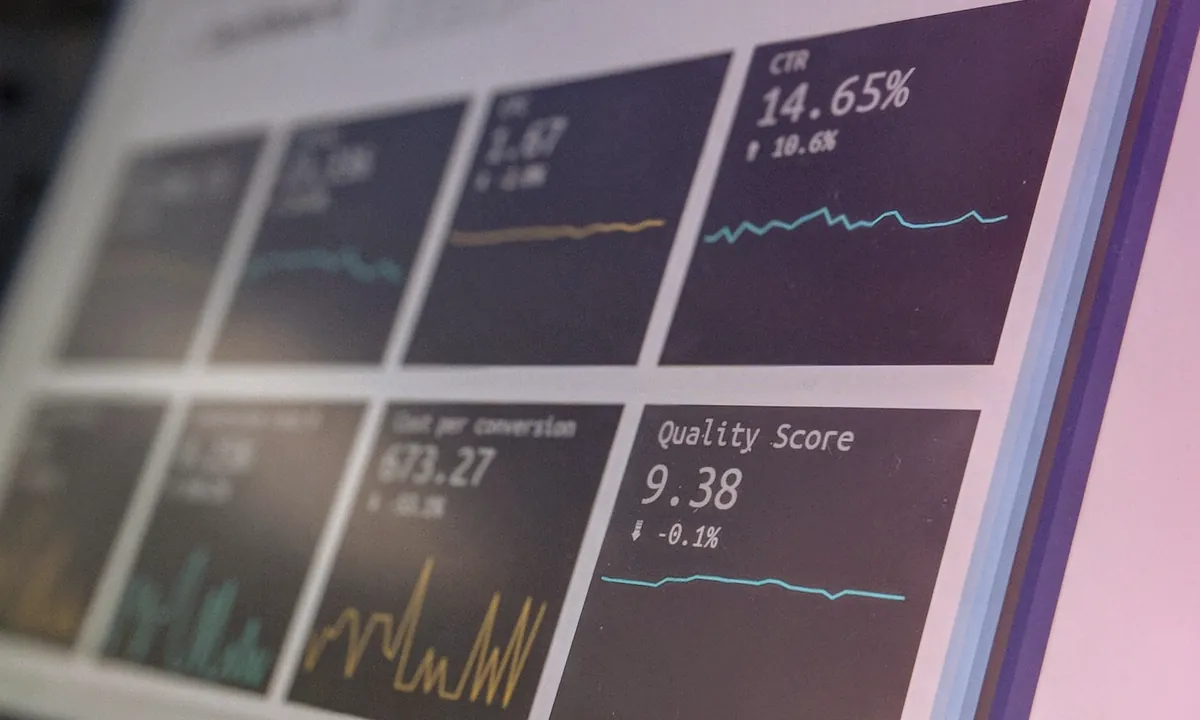
Choose the tracker around your workflow
Keitaro and Binom are commonly self-hosted; RedTrack is cloud-first. The best choice depends on traffic volume, team access, integrations, maintenance capacity and the reporting you actually use. Verify current pricing on each vendor’s site before buying.
What to do next
- Check the platform notice or status before changing the whole setup.
- Change one variable per test and record the result.
- Scale only after the signal repeats across several uploads.
Why does an affiliate marketer need a tracker: not just analytics
Beginner affiliate marketers often perceive a tracker as an “analytics tool” - look at statistics, see the number of clicks. In fact, the tracker solves many more problems, and each of them directly affects profit.
Traffic distribution (TDS - Traffic Distribution System). The tracker redirects users to different offers and landing pages depending on geo, device, OS, time of day, browser language. You launch one stream of traffic, and the tracker automatically directs a user from Brazil to a Portuguese landing page with a local offer, and a user from Germany to a German one. Without TDS, you lose everyone who doesn't fall into the target geo.
Rotation of offers. The offer burns out, the affiliate reduces payments, the lead limit is exhausted - the tracker switches traffic to the next offer instantly. Configured once, it works automatically. Without rotation, you lose traffic every time an offer becomes unavailable.
Postbacks (S2S postbacks). The tracker receives notifications from the affiliate network about each conversion in real time. You see not just “clicked”, but “clicked → went to the offer → registered → made a deposit.” This allows you to count ROI down to a separate creo and account.
Protection against bots and fraud. Trackers filter bot traffic, referral spam, suspicious IPs. In organic traffic this is especially important: platforms sometimes inflate views with bots that do not convert - without filtering the statistics are distorted.
A/B testing. Dividing traffic between several landing pages, pre-lands or offers with automatic redistribution to the best option. Saves time and money on manual tests.
For those who work with organic traffic on a large scale - 30, 50, 100+ accounts - the tracker becomes the only way to understand what exactly is working. Without it, you spend resources on infrastructure (proxy, antidetect, content variation) and do not know whether each specific account is profitable. More information about the full stack of tools for organic traffic is in guide to organic traffic 2026.
Keitaro, Binom, RedTrack - review of each tracker
Keitaro - the most flexible self-hosted tracker
Keitaro is a tracker that is installed on your own server. On the market since 2015, the industry standard among Russian-speaking affiliate marketers. License - from $25/month (Professional tariff) to $70/month (Expert tariff). Server costs - from $30/month for VPS.
Key benefits of Keitaro:
- Full control over your data. Traffic goes through your server - no data is transferred to third parties. Critical for those who work with gray traffic.
- Unlimited events. There are no limits on the number of clicks, conversions or redirects. Pay only for the license and server.
- Powerful TDS. Filters by 30+ parameters: geo, OS, browser, ISP, referrer, User-Agent, language, time of day, click limit. Rules and conditions are combined - complex distribution chains can be built.
- Marketplace templates. Ready-made integration templates for 500+ affiliate networks and CPA platforms. Postbacks can be configured in a couple of clicks.
- Customization. PHP platform, open access to configuration. Advanced users add their scripts, reports, integrations via API.
- Multi-domain. Connecting an unlimited number of domains for rotation - if one domain is blocked, traffic automatically goes to the next one.
Restrictions:
- Requires server settings (VPS/dedicated, Nginx, PHP, MySQL). For a beginner without a technical background, installation may take 2-4 hours with guides.
- Server maintenance - user responsibility: updates, backups, uptime monitoring.
- The interface is functional, but visually outdated - the learning curve is higher than that of cloud competitors.
Suitable for: intermediate and advanced level affiliate marketers, teams, those who work with volumes of 100K+ clicks/month and value control over data.
Binom - speed and simplicity
Binom exists in two versions: self-hosted (on your own server) and Binom Cloud (cloud). Self-hosted - $69/month for license + server costs. Cloud - from $49/month with a limit of 1 million events, then $0.02 per thousand.
Key benefits of Binom:
- Click processing speed. Binom was originally designed for high loads. The redirect is processed in 3–5 ms (for Keitaro - 5–15 ms). At high volumes the difference is noticeable: every millisecond of delay is a loss of clicks.
- Clean interface. The dashboard is logical, reports are built quickly, the learning curve is lower. A beginner will figure it out in a day, not a week.
- Binom Cloud - no server. Registration → campaign setup → work. No need to understand VPS, Nginx, PHP. For those who want to track and not administer the server.
- Multi-User. Built-in access system for the team: different roles, different rights, different campaigns. Convenient for agencies and groups of affiliate marketers.
- Flexible reports. Drill-down analytics: from general campaign statistics to a specific click. Grouping by any parameters, custom columns.
Restrictions:
- Self-hosted Binom is more expensive than Keitaro ($69 vs $25/month for the basic plan).
- Cloud version has limits on events - with large volumes the cost increases.
- Fewer ready-made integration templates than Keitaro (300+ vs 500+).
- Customization is limited compared to Keitaro - no direct access to code.
Suitable for: beginners (Cloud version), affiliate marketers who value speed and a simple interface, commands with shared access.
RedTrack - cloud tracker with a focus on attribution
RedTrack is an exclusively cloud-based tracker. Founded in 2018, initially focused on white traffic and performance marketing. Tariffs: from $149/month (Pro) to $749/month (Team). There is a free 14-day trial.
Key benefits of RedTrack:
- Multi-channel attribution. RedTrack tracks conversions not only by last-click, but throughout the entire touch chain. For complex funnels - for example, Telegram-funnel with heating - this allows you to see the real contribution of each channel.
- Automation of reporting. Integrations with Google Sheets, Data Studio, Slack notifications. Reports are generated automatically and sent according to a schedule.
- Cookieless tracking. Proprietary attribution technology without cookies - works under iOS and Privacy Sandbox restrictions. This is especially true in 2026, when cookieless environments have become the norm.
- Affiliate portal. Built-in module for managing partners: creating offers, issuing links, automatic calculation of payments. Useful if you are building your own CPA network.
- Support and documentation. High-quality English-language documentation, fast support, regular updates.
Restrictions:
- Price - from $149/month. Keitaro and Binom are 2–3 times more expensive at basic rates.
- Cloud only - no self-hosted option. All data passes through the servers RedTrack.
- Less popular in the Russian-speaking arbitrage community - there are fewer guides, cases, templates in Russian.
- Focused on white traffic - the functionality for gray verticals is weaker than that of Keitaro.
Suitable for: affiliate marketers with white traffic, those who work with paid channels in parallel with organic traffic, teams that need multi-channel attribution and automation.
Comparison table: Keitaro vs Binom vs RedTrack
Type of placement
Keitaro: self-hosted (own server) Binom: self-hosted + Cloud RedTrack: cloud only
Minimum price
Keitaro: $25/month + server ($30–80) = $55–105/month Binom: Cloud from $49/month, self-hosted $69/month + server RedTrack: from $149/month
Event limit
Keitaro: unlimited (depending on the server) Binom Cloud: 1M included, then $0.02/1K Binom self-hosted: unlimited RedTrack: depends on the tariff (up to 10M on Pro)
Redirect speed
Keitaro: 5–15 ms Binom: 3–5 ms RedTrack: 10–30 ms (cloud dependent on geo)
Postbacks (S2S)
Keitaro: ✓ full support, 500+ templates Binom: ✓ full support, 300+ templates RedTrack: ✓ full support, built-in integrations
Rotation of offers
Keitaro: ✓ weight, priority, conditions, limits Binom: ✓ weight, rules, auto-optimization RedTrack: ✓ SmartLinks with AI optimization
LP Pixel / non-redirect tracking
Keitaro: ✓ LP Pixel, direct tracking · Binom: ✓ LP Pixel · RedTrack: ✓ No-redirect tracking
API
Keitaro: ✓ REST API, webhook Binom: ✓ REST API RedTrack: ✓ REST API, automation
Antifraud / bot filtering
Keitaro: ✓ built-in, + extensions Binom: ✓ basic RedTrack: ✓ advanced with ML
Multi-user / teamwork
Keitaro: ✓ (on Expert tariff) Binom: ✓ built-in RedTrack: ✓ full-fledged with roles
Learning curve
Keitaro: high (2-5 days) Binom: medium (1-2 days) RedTrack: medium (1-3 days)
Ideal user
Keitaro: intermediate/advanced, gray traffic, customization Binom: beginner/intermediate, speed, simplicity RedTrack: white traffic, multichannel, commands
Voluum and BeMob - is it worth considering
Voluum is a cloud tracker, one of the oldest on the market. Tariffs from $199/month, full functionality, advanced AI for campaign optimization. The main disadvantage is the price. On the basic tariff, the limit is 3 million events, each additional million is $49. For arbitrage traders with large volumes, Voluum can cost $500–1000/month. Suitable for large teams with a budget that work primarily with paid traffic.
BeMob - cloud tracker with a free plan for 100,000 events per month. Paid plans start at $49/month. The functionality is closer to Binom Cloud: simple interface, postbacks, rotation, basic reports. BeMob is a great option for testing: to figure out whether you need a tracker at all, and to understand the basic logic without spending money. As volumes increase, it makes sense to switch to Binom or Keitaro.
Setting up a tracker for organic traffic: step-by-step guide
organic traffic differs from paid traffic: there is no advertising account, traffic comes from many accounts organically, and the user’s path goes through a pipeline or Telegram funnel. Setting up the tracker for this model has its own characteristics.
Step 1: Campaign Structure
Create a campaign with a clear hierarchy. Recommended design for drill collar:
- Campaign = platform + vertical (for example, “TikTok - Nutra”)
- Flow = specific offer + landing page
- sub1 = Account ID in grid (acc_001, acc_002...)
- sub2 = Creo/roller ID
- sub3 = platform (tiktok, reels, shorts)
- sub4 = fill date
This structure allows you to build reports on each section: which account converts better, which video gives more leads, which platform brings cheap traffic. Without such markup, you only see the big picture and cannot optimize.
Step 2: Link and Gasket Setup
In organic traffic, the user follows the link from the bio profile. Scheme with tracker:
Option A - direct redirect. In the account bio there is a tracker link: tracker.yourdomain.com/campaign?sub1=acc_001&sub2=creo_15. The tracker records the click and redirects to the offer. Plus: minimum steps. Disadvantage: The tracker link may be blocked by the platform.
Option B - spacer with LP Pixel. In bio - link to your intermediate page (spacer). An LP Pixel tracker is installed on the pad, which records the visit. The user clicks the CTA button on the pad and goes to the offer via the click URL of the tracker. Plus: the platform does not see the tracker link, the pad looks like a regular website. Disadvantage: the additional step reduces conversion by 10–20%.
Option C - Telegram-funnel. In bio - link to Telegram-bot or channel. Inside the bot there are tracker links in CTA buttons. The tracker records a click from the bot with sub-parameter data. More details in our guide to the Telegram-funnel for the drill collar.
Recommendation for drill collars: option B (gasket) for standard bundles, option C (Telegram) for heated funnels. Option A - only if you are sure that the tracker domain is not being picked up by the platform.
Step 3: Postbacks - connection with the affiliate network
Postbacks are a mechanism through which the affiliate network informs the tracker about the conversion. Without a postback, the tracker sees clicks, but does not see sales. Setting:
- In the tracker, copy the postback URL for your campaign (Keitaro, Binom and RedTrack generate it automatically).
- In the affiliate network account (CPA-network or direct advertiser), insert this URL into the postback settings.
- Check that the click_id is transmitted correctly - this is a unique click identifier that the tracker uses to associate the conversion with a specific click.
- Test: make a test conversion and make sure it appears in the tracker.
Keitaro has ready-made postback templates for 500+ networks - select a network from the list, and the URL is generated automatically. Binom and RedTrack have similar functionality, but with slightly fewer ready-made templates.
Step 4: Rotation of offers
Rotation is critically important in organic traffic arbitrage: offers burn out, limits are exhausted, affiliates change conditions. Setting up rotation in the tracker:
- Weight rotation: set the weight for each offer in the stream. Offer A - weight 60%, Offer B - weight 40%. Traffic is distributed proportionally.
- Geo rules: users from Brazil → Offer A, from Mexico → Offer B, others → fallback offer.
- Limits: offer accepts no more than 100 leads per day → after the limit, traffic automatically goes to the next offer.
- Smart rotation (Binom, RedTrack): tracker analyzes CR each offer in real time and automatically redistributes traffic to a more converting one.
Step 5: Analytics and optimization
After launch, start analyzing the data. Key reports for organic traffic:
- By sub1 (account): which accounts give conversions and which give empty traffic. Disable non-working accounts, scale working ones.
- By sub2 (creo): which videos convert. Found working creo - duplicate through video variation for the entire grid.
- By sub3 (platform): TikTok vs Reels vs Shorts - where traffic is cheaper, where CR. is higher
- By time: when conversions are higher - in the morning, in the evening, on weekends. Adjust the campaign schedule.
- By geo: from which countries are the conversions coming from, where ROI is higher. Reconfigure TDS.
Tracker data shows which accounts and videos are working, and scaling tools allow you to replicate success. Found a video with a high CR → create dozens of unique versions via 360° Uniquizer → upload to work accounts → track the result in the tracker. This is a closed loop: tracker + video variation = full analytical pipeline, where each element reinforces the other.
Which tracker to choose by level: from beginner to team
The choice of tracker depends on three factors: technical skills, traffic volume and budget. Below are specific recommendations.
Beginner: up to 50K clicks/month, budget $150–300
Recommendation: Binom Cloud or BeMob.
At the start, the main thing is to understand the tracking logic, and not fight with the server settings. Binom Cloud for $49/month provides a full-fledged tracker without technical barriers: registration, campaign creation, postback setup - all in 30–60 minutes. If your budget is very limited, start with the free BeMob tariff for 100K events - this will be enough for the first 2-3 months.
What to configure first:
- One campaign with sub-parameters for marking up accounts
- Postback with the main CPA-network
- Simple rotation between 2-3 offers of the same vertical
Medium level: 50K–500K clicks/month, 30–100 accounts
Recommendation: Keitaro (self-hosted).
When volumes grow, cloud trackers become expensive: 500K events in Binom Cloud is $49 + (400K × $0.02) = $57/month. Keitaro on a VPS for $50–70 processes the same volume unlimited. At the same time, you get full control over the data, multi-domain for domain rotation and 500+ integration templates.
Installation of Keitaro requires basic VPS skills. Minimum server configuration: 2 vCPU, 4 GB RAM, 40 GB SSD, Ubuntu 22.04. The installation process itself is automated by a script and takes 15–20 minutes. Setting up an SSL certificate and domain - another 30 minutes.
What to configure additionally:
- Multi-domain - 3-5 domains for rotation (if one is blocked, the rest work)
- Detailed marking of sub-parameters for each account and creo
- Filtering bot traffic
- Integration with Telegram bot via webhook for conversion notifications
Advanced: 500K+ clicks/month, team 2–5 people
Recommendation: Keitaro Expert or Binom self-hosted + RedTrack for white campaigns.
At this level, the following combination is often used: Keitaro for gray traffic (gambling, nutra) + RedTrack for white traffic (e-commerce, SaaS offers). Two trackers cover all scenarios. If the team works only with gray - Keitaro Expert ($70/month) with multi-user and extended access rights.
Binom self-hosted ($69/month) - an alternative for those for whom redirect speed is critical (3–5 ms). When dealing with millions of clicks, the difference in speed is converted into real money.
What is critical at this level:
- Dedicated server (not VPS) for stability - $80–150/month
- Automation via API: scripts for mass creation of campaigns, updating offers, uploading reports
- Uptime monitoring (UptimeRobot, Hetrixtools) - if the tracker is down, traffic is lost
- Database backup system
Integration of tracker with antidetects and proxies
Tracker, anti-detect browser, proxy and content variation are four elements of the affiliate marketer’s infrastructure. They work at different levels, but must be connected into a single system.
Tracker + antidetect browser
Antidetect (Dolphin Anty, AdsPower, GoLogin) is an environment in which you manage accounts on platforms. A tracker is a tool through which traffic from these accounts passes. There is no direct technical integration between them - they are connected through links.
Interaction diagram:
- In antidetect, create a profile for each account (TikTok, Instagram, etc.).
- Assign a proxy to each profile - a unique IP.
- In your account bio (via antidetect) insert a link with a unique sub-ID:
promo.domain.com?sub1=acc_047. - When the viewer clicks on the link, the tracker records the visit with a link to sub1=acc_047.
- Upon conversion, the postback from the affiliate network is returned to the tracker with the same click_id.
- In the tracker report you see: account acc_047 → 320 clicks → 12 conversions → ROI 280%.
Some antidetects (Dolphin Anty) have built-in notes and tags for profiles - duplicate the sub-ID from the tracker there to quickly find the desired account during optimization.
Tracker + proxy
Proxies affect the tracker indirectly: if the proxies are unstable and accounts are banned, traffic stops flowing to the tracker. Monitor the number of clicks on each account in the tracker. A sharp drop in clicks from a specific sub1 = a signal that the account is blocked or has lost coverage.
Also keep in mind: if you access the tracker (admin panel) through the antidetect proxy profile, your IP in the tracker logs will be the proxy IP. For security, log into the tracker admin panel from the main IP, not through account profiles.
Tracker + content variation
The tracker shows that is working, uniqueness allows to scale what is working. Duty Cycle:
- The tracker reveals that the creo_15 video converts better than others (CR 8% vs average 3%).
- You take this video and run it through 360° Uniquizer - you get 30-50 unique versions.
- Distribute versions among grid accounts, each with its own unique version.
- In the tracker, mark each version with its sub2 (creo_15_v01, creo_15_v02...).
- After 3–5 days, you analyze: which versions keep CR at the level of the original, which ones have sagged.
- Remove non-working versions, scale working ones.
Without a tracker, this cycle is impossible - you don’t know which creo converts. Without uniqueness - you cannot scale the found working creo to the grid, because duplicates will be banned. Two tools are links in one chain. More information about building the entire bundle and calculating ROI can be found in the article “How much can you earn on organic traffic affiliate marketing 2026”.
Common mistakes when working with trackers
Even experienced affiliate marketers make mistakes in setting up and using trackers. Let's look at the most expensive of them.
1. They do not mark accounts with sub-parameters
Launch 50 accounts through one link without sub-ID. They see the general statistics “500 clicks → 20 conversions”, but do not know which 5 accounts provide all 20 conversions, and which 45 are empty traffic. Solution: unique sub1 for each account, no exceptions.
2. Postbacks are not configured
The tracker records clicks, but conversions are pulled up manually from the affiliate network account. It is impossible to associate a specific click with a conversion, it is impossible to calculate ROI by accounts and creos. Postback is the first thing you set up after creating a campaign.
3. One domain for all campaigns
All links go through one tracker domain. If a domain is blocked by a platform or an advertiser, all traffic stops. Use at least 3-5 domains with rotation. In Keitaro this can be configured in the “Domains” section in 5 minutes.
4. Ignore bot traffic
Organic traffic from TikTok and Instagram contains 10–15% bots and crawlers. Without filtering, bots get into the statistics and distort CR and CTR. Enable the built-in antifraud in the tracker - it will cut off obvious bots. For advanced filtering, Keitaro has extensions, RedTrack uses ML models.
5. The database is not backed up
Self-hosted tracker stores all data on your server. The server crashed, the disk burned out, the hoster blocked it - the data is lost. Set up automatic backup of the MySQL/PostgreSQL database once a day to external storage (S3, Google Drive). 10 minutes of setup - and you are protected from losing months of analytics.
6. Use a redirect instead of LP Pixel
Direct redirect through the tracker adds 5–30 ms to the loading time and may be affected by the platform. LP Pixel (direct tracking) loads the landing page directly and transmits the data through a JavaScript pixel. For organic traffic, LP Pixel is preferable: there is no intermediate redirect, the platform does not see the tracker domain.
Result: tracker is the foundation of analytics in affiliate marketing
Without a tracker, arbitrage is working blindly. You spend money on proxies, anti-detect, unique content and accounts, but you don’t know which element of the bundle brings profit and which brings loss.
The choice of tracker in 2026 comes down to three scenarios:
- Starting → Binom Cloud ($49/month) or free BeMob. Quick start, no server, minimal learning curve.
- Growing → Keitaro self-hosted ($55–105/month with server). Unlimited, data control, customization, maximum set of templates.
- Large team → Keitaro Expert + RedTrack for white traffic. Multi-user, multi-channel attribution, automation via API.
The tracker closes the analytical loop: you see the path from watching a video to conversion on an offer. In conjunction with the video variation of content through 360° Uniquizer, this forms a complete pipeline: creation of unique content → distribution across a network of accounts → tracking results → data-based optimization → scaling work connections. Each element enhances the others. More details about the remaining elements of the bundle can be found in selection of offers for organic traffic 2026.
Read also
Reviewed and updated
Quick answers
Where should I start with this guide?
Record the baseline and choose one test goal. Change one factor at a time, then compare results over the same time window.
Why do I need unique video versions in this workflow?
Each account needs a separate file. 360° Uniquizer changes the visual layer, audio and metadata so the platform receives a new technically unique version without manual editing for every upload.
What affects reach besides the file itself?
The hook, retention, offer-audience fit, account history, content rights and platform compliance. A unique file solves the technical scaling step; the creative and funnel still need testing.
Official platform sources and policies
Check the current rules before launch because platform policies and interfaces change.