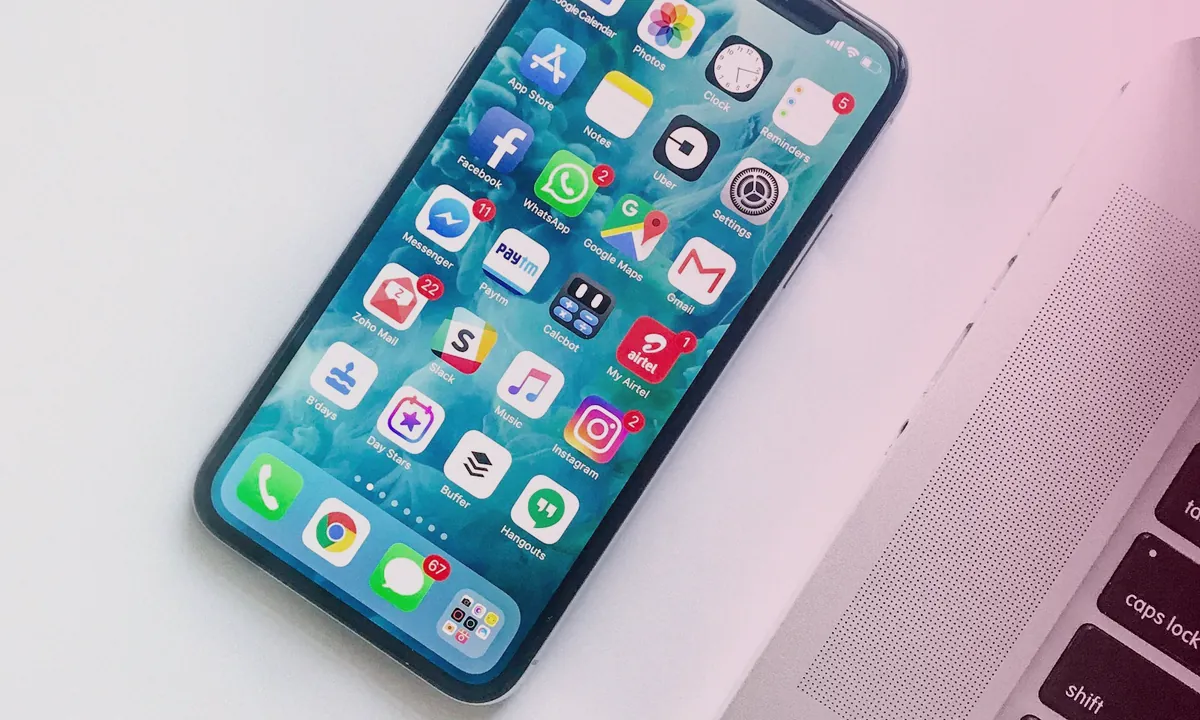
Two years ago, a network of 30 TikTok accounts could run on a stack of used Redmi phones and a couple of emulators. Today that approach leads to mass bans within a week. Platforms have learned to link devices by hardware identifiers, and emulators are flagged by anti-fraud systems almost instantly. Cloud phones solved this problem: fully functional Android environments, managed through a web panel, with each profile isolated at the hardware level. This guide covers how cloud phones outperform emulators and physical farms, how to build infrastructure for dozens or hundreds of accounts, and what else you need in the stack beyond the devices themselves.
Why Mobile Traffic Became the Foundation of Organic Affiliate Marketing
TikTok, Instagram Reels, YouTube Shorts — the three main sources of organic affiliate traffic in 2026. All three platforms are designed for mobile. This isn’t just a UI decision — algorithms rank content uploaded from phones differently than from desktops.
Specific differences:
- TikTok doesn’t support full publishing via web — uploads are possible, but reach is noticeably lower
- Instagram Reels uploaded via Creator Studio get 20–40% fewer impressions compared to native mobile uploads (based on tests across networks of 15–20 accounts)
- YouTube Shorts is the exception: the platform doesn’t distinguish upload source, so desktop works equally well
The conclusion is simple: if you work with TikTok or Instagram, you need a mobile device. The question is — which kind.
Physical Phones, Emulators, Cloud: Honest Comparison
Let’s break down the three options without marketing fluff.
Physical Phones
The most reliable option from an anti-fraud perspective — real hardware doesn’t raise suspicion. But scaling becomes a logistical nightmare:
- Cost: $80–300 per device. A 50-account network means $4,000–15,000 in hardware alone
- Maintenance: charging, Wi-Fi, replacing failed devices, OS updates
- Limit: 2–3 accounts per phone maximum, beyond that — risk of linking. More details in the article about account limits per device
- Location-bound: a phone farm is literally a room with shelves and cables
Emulators (Bluestacks, Nox, LDPlayer)
In 2023, emulators still somewhat worked. In 2026 — they’re essentially dead for serious multi-accounting:
- TikTok and Instagram security systems are trained to recognize emulated environments — by GPU profile, sensor set, and build.prop
- All instances generate nearly identical fingerprints: manually changing IMEI doesn’t help when dozens of other parameters match
- Technical instability: app crashes, freezes, camera and microphone problems
- Zero isolation: banning one account drags down all others on the same instance
Cloud Phones
Essentially full-fledged Android smartphones physically located on the provider’s servers. You manage them remotely through a web interface. Each device has its own set of parameters:
- Individual identifier set: model, serial number, IMEI, MAC, firmware version
- Sandbox for each profile: blocking one account doesn’t affect the rest of the network
- Web-based management: creation, deletion, reconfiguration — in minutes
- Scaling: from 10 to 500 devices without physical equipment
- Cost: from $3–7 per device per month depending on provider and plan
| Parameter | Physical Phone | Emulator | Cloud Phone |
|---|---|---|---|
| Anti-fraud detection | Minimal | High | Minimal |
| Cost for 50 accounts | $4,000–15,000 | $0–50 | $150–350/mo |
| Account isolation | Physical | None | Full |
| Scaling | Linear (buying hardware) | Limited by PC resources | Instant |
| Remote management | No | Local only | From any browser |
| Team collaboration | Difficult | Difficult | Built-in |
How Cloud Phones Solve the Scaling Problem
Let’s look at three real-world scenarios.
Scenario 1: Dating on TikTok, 50 accounts. Each account runs on a separate cloud device with a mobile proxy. Content — unique versions of 3–5 base videos. Warm-up takes 10–14 days. After reaching operating mode — 2–3 posts per day from each account. Without cloud phones, this would require 20–25 physical devices.
Scenario 2: Gambling via YouTube Shorts, 100 channels. YouTube is less strict about mobile fingerprints, but 100 channels from a single IP is an instant flag. Cloud phones provide 100 different IPs and devices. More about warming up Shorts networks — in the dedicated guide.
Scenario 3: Nutra on Instagram Reels, 200 accounts. The most resource-intensive scenario. Instagram is the most aggressive at detecting farms. Cloud phones here aren’t just convenient — they’re a necessity. Without hardware isolation, a 200-account network will last 3–5 days. With isolation and proper warm-up — months.
Device Fingerprint: Why Changing IP Is Only 10% of the Solution
Beginner affiliate marketers often think: “I’ll buy proxies and that’s it — accounts won’t be linked.” This is a misconception.
An IP address is just one of hundreds of parameters platforms use to identify a device. The digital fingerprint includes:
- Hardware identifiers: IMEI, serial number, MAC address, Android ID
- Screen characteristics: resolution, DPI, refresh rate
- Sensor data: accelerometer, gyroscope, magnetometer (their readings are unique to each physical chip)
- Build parameters: build.prop, model, manufacturer, firmware version
- Installed apps, system language, time zone, SIM carrier
If two accounts are running on devices with identical fingerprints, the platform will link them — even if IPs are different and a week has passed between sessions. Cloud phones generate a unique set of parameters for each device, making account linking by fingerprint technically impossible.
Four Layers of Protection: The Scaling Stack
A sustainable organic traffic network is built on four layers, and none can be removed without consequences:
- Hardware layer — cloud phone. Isolates the device: unique IMEI, MAC, model, sensors. The platform sees different physical smartphones.
- Network layer — proxy. Isolates IP: mobile or residential proxies, one per device. IP overlap between accounts is a direct anti-fraud trigger.
- Browser layer — anti-detect. Isolates browser profile: cookies, localStorage, canvas fingerprint, WebGL. Relevant when working through web versions of platforms. More about anti-detect.
- Content layer — video variation. Isolates media files: each account receives a visually distinct version of the video with a unique digital signature. Tools like 360° Uniquizer generate dozens of versions from a single source — with altered color correction, metadata, fragment speed, and audio track. Without this layer, even perfect hardware isolation won’t save you: the platform will detect the same content across different accounts and link them via media fingerprint.
Remove any layer and the system springs a leak. For example, cloud phone + proxy + video variation but no anti-detect: one accidental login through a regular browser — instant linking. Or: cloud phone + proxy + anti-detect, but one video across 50 accounts without creating unique versions — ban within 24–48 hours.
Telegram channel: @Agency360_Uniquizer
Support: @help_360agency
Which Verticals Scale Best Through Cloud Phones
Not all niches benefit equally from mobile infrastructure. Here’s where cloud phones deliver the biggest impact:
Dating (TikTok, Instagram). The primary vertical for organic traffic. Short videos with bait creatives, native transitions through profiles. Mobile fingerprint is critical — desktop uploads on dating accounts lower the algorithm’s trust. Payments are usually CPA or SOI/DOI. Full details on offer selection — in the offers guide for organic traffic.
Gambling (YouTube Shorts, TikTok). Gameplay clips, lifestyle content, streamer highlights. YouTube Shorts is more tolerant of desktop, but the TikTok portion of the network requires a mobile approach. CPM rates are higher than in dating, but moderation is stricter.
Nutra (Instagram Reels). Before/after content, UGC format, native recommendations. Instagram is the main platform for nutra, and mobile fingerprint plays a key role here. Cloud phones allow maintaining a stable network of 50–100 accounts.
Telegram verticals. Channel growth depends directly on subscriber inflow — short videos from TikTok and YouTube deliver that inflow without ad spend. Cloud phones simplify multi-accounting in Telegram, where phone number + device fingerprint binding is the primary detection method.
Step-by-Step Plan: Launching a 50+ Account Network
- Choose vertical and offer. Decide where you’re driving traffic: dating, gambling, nutra. This determines the platform (TikTok, Instagram, YouTube) and content format.
- Register with a cloud phone provider. Create 10–50 devices. Configure each with a unique model, region, language, and time zone — they should match the offer’s GEO.
- Connect proxies. One mobile or residential proxy per device. For Tier-1 GEOs — mobile only. For CIS regions — residential is acceptable. We use Proxy Solutions — mobile 4G/5G and dedicated IPv4 with unlimited traffic and accurate geolocation. Details in the proxy guide for organic traffic.
- Register accounts. One account per device. Use different email providers and phone numbers. Don’t register all accounts on the same day.
- Warm up accounts (7–14 days). Simulate real user behavior: views, likes, follows, first neutral posts. Day-by-day guides for TikTok, Instagram, YouTube Shorts.
- Prepare content. Create 3–5 base creatives for the offer. Then generate N unique versions from each via 360° Uniquizer — one per account. Each version gets a unique visual fingerprint, metadata, and audio characteristics.
- Launch publishing. 1–3 posts per day, staggered across accounts. Don’t publish from all accounts simultaneously — that’s a bot pattern.
- Monitor and rotate. Track reach for each account. If reach drops — check for shadowban. Replace burned-out creatives with fresh unique versions.
Minimum Checklist for Getting Started
- Cloud phone provider (GeeLark, Amazon Device Farm, alternatives)
- Pool of mobile or residential proxies for the target GEO
- Pool of phone numbers for account registration (SMS services)
- 3–5 base creatives for the chosen offer
- 360° Uniquizer for generating unique content versions
- Tracker (Keitaro, Binom) for conversion tracking
- Landing page, Telegram bot, or SmartLink for receiving traffic
- 14 days for warm-up before launching promo content
Conclusion
Cloud phones aren’t a hype tool or a marketing ploy by providers. They’re an infrastructure response to a real problem: platforms have tightened anti-fraud to the point where scaling mobile organic traffic without hardware isolation is impossible.
Cloud phones alone are just one element of the stack. Without proxies they’re useless. Without account warm-up — dead. And without content variation the entire stack collapses at the media fingerprint level: the platform will link accounts through duplicated content faster than through matching hardware.
The working formula in 2026: cloud phone + proxy + warm-up + video variation. Each component covers its own protection layer. Together they enable scaling that two years ago was only accessible to teams with budgets for hundreds of physical devices.
Telegram channel: @Agency360_Uniquizer
Promo code Uniq_serv — 15% off all proxies (except mobile)
Promo code Uniq_mob — 5% off mobile proxies
Go to Proxy Solutions →
FAQ
How is a cloud phone different from an emulator for multi-accounting?
An emulator is a software simulation of Android on a PC. TikTok and Instagram anti-fraud systems detect it by GPU profile, sensor set, and build.prop within seconds. All instances share the same fingerprint. A cloud phone is a real Android smartphone on the provider’s servers with a unique set of identifiers (IMEI, MAC, serial number). To the platform, each device looks like a separate physical phone.
How much does a cloud phone cost per month?
From $3 to $7 per device per month depending on the provider and plan. A 50-account network costs $150–350/month — tens of times cheaper than physical phones ($4,000–15,000 one-time).
Can cloud phones be used for TikTok and Instagram?
Yes. Cloud phones work like regular Android smartphones and support native installation of TikTok, Instagram, and YouTube. Content uploaded through a cloud phone is treated by the platform as a mobile upload — with full reach.
Are proxies needed when using cloud phones?
Absolutely. A cloud phone isolates the hardware fingerprint but not the IP address. Without proxies, all devices operate from a single data center IP — an instant anti-fraud trigger. You need one mobile or residential proxy per device.
How many accounts can run on one cloud phone?
The recommendation is 1 account per 1 cloud device. Technically you can run 2–3, but this increases the risk of linking. At $3–7/month, the savings aren’t worth the ban risk.
Why is video variation needed when working with cloud phones?
Cloud phones and proxies protect against linking by hardware and IP, but not by content. If you upload the same video to 50 accounts, the platform will link them through the video’s media fingerprint. Video variation via 360° Uniquizer creates visually different versions from a single source, covering the content layer of protection.
Reviewed and updated
Quick answers
Where should I start with this guide?
Record the baseline and choose one test goal. Change one factor at a time, then compare results over the same time window.
Why do I need unique video versions in this workflow?
Each account needs a separate file. 360° Uniquizer changes the visual layer, audio and metadata so the platform receives a new technically unique version without manual editing for every upload.
What affects reach besides the file itself?
The hook, retention, offer-audience fit, account history, content rights and platform compliance. A unique file solves the technical scaling step; the creative and funnel still need testing.
Official platform sources and policies
Check the current rules before launch because platform policies and interfaces change.